Precall Planning Tools for Better Sales Calls
Precall planning tools help turn a sales call from a guess into a focused meeting. The right mix of meeting planning apps, meeting preparation tools, and call planning software helps reps pull in context, set a clear goal, line up teammates, and ask better questions.
Instead of digging through tabs right before dialing, teams can use a repeatable workflow. That makes prep faster, easier to share, and more consistent.
September 29, 2026
What should pre-call planning include?
Pre-call planning should give the seller enough context to lead a useful talk without over-scripting it. A rep should know the account, the people in the room, the main problem, the goal of the call, the next step, and the likely pushback.
Tools help by putting those details in one place. They also help fill gaps and make the plan easy to share before the meeting starts.
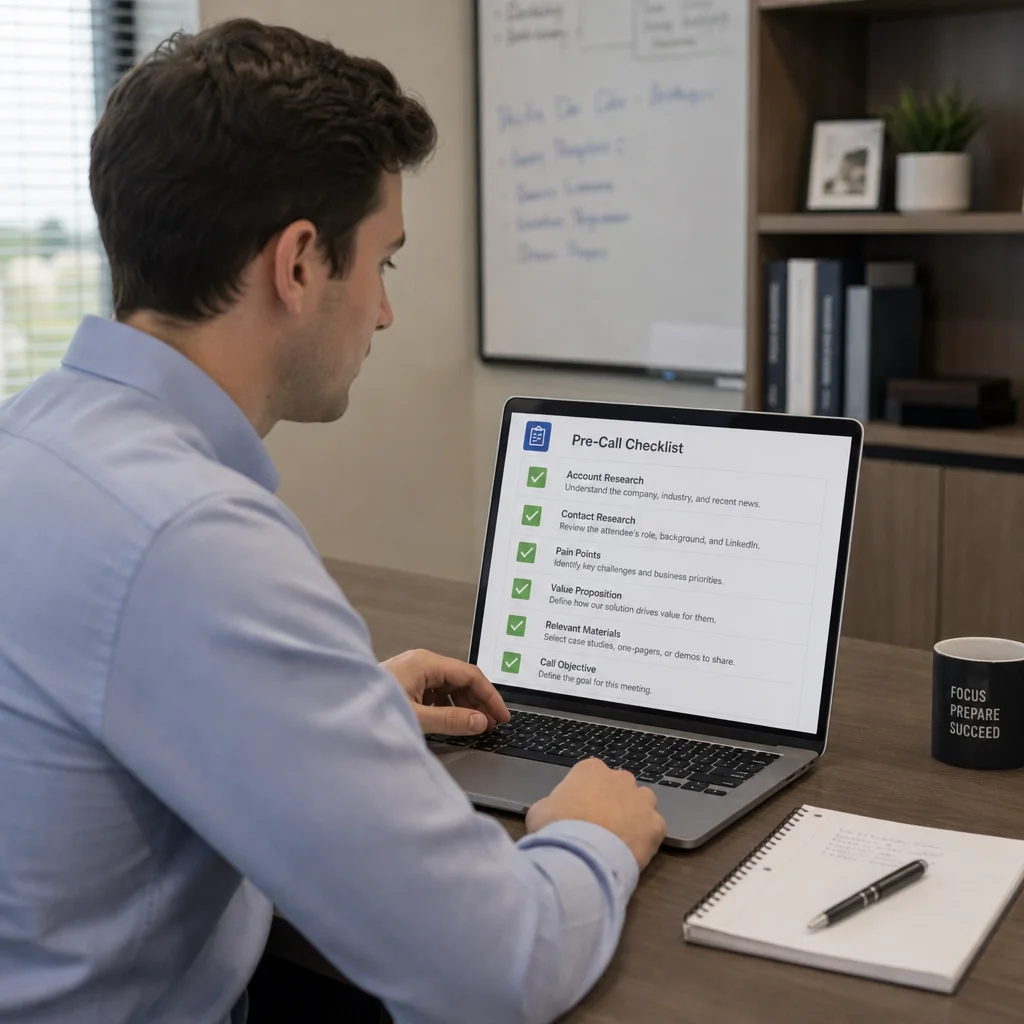
A practical pre-call checklist often includes:
- Prospect and account research: company size, market, new changes, business model, and key priorities.
- Stakeholder context: each attendee's role, influence, past contact, and likely interests.
- Meeting goal: the result you want, such as fit check, pain check, demo, or next-step agreement.
- Conversation plan: opening line, discovery questions, agenda, proof points, and likely handoffs.
- Materials: deck, demo setup, case examples, proposal notes, or tech resources.
- Objection prep: likely concerns about budget, timing, risk, approval, or other priorities.
- Follow-up plan: what to note during the call and what action should happen after it.
The best plan is often short, clear, and easy to change. The goal is to cut doubt, not add more admin work.
The tool categories that make planning easier
Pre-call planning usually spans several systems. Some teams use one platform. Others connect several sales call tools around the CRM.
Either way can work if the process is clear and the tools reduce friction.
CRM and account intelligence tools
The CRM is usually the starting point. It holds the account record, stage, notes, prior touchpoints, and ownership details. When the CRM is clean, a rep can see the deal state fast. When it is not, prep turns into guesswork.
Account intelligence tools add news, funding, hiring, tech signals, leadership changes, and market activity. These clues help reps personalize the call and avoid generic openers.
Calendar-connected meeting planning apps
Meeting planning apps that link to a calendar help reps prepare in the flow of the day. Instead of building a prep doc by hand, the app can show the meeting title, attendees, linked account, past activity, and open tasks.
The best meeting planning apps do more than remind you that a meeting exists. They answer, “Who is joining, why are we meeting, and what do I need to know before I start?” That context helps keep the call from opening with questions the buyer already answered.
AI research and summary assistants
AI-powered meeting preparation tools can shorten research by summarizing account data, past calls, email threads, notes, and public info. Used well, they give the rep a first draft of the story: what the buyer cares about, what was already said, and what may need attention next.
Still, AI summaries should be treated as a draft, not final truth. Reps should check names, roles, commitments, price expectations, tech needs, and timelines. The value is speed: AI reduces the blank-page problem and helps the seller focus prep time where it matters most.
Call recording and transcript tools
Call recording, transcripts, and conversation intelligence tools are some of the most useful sales strategy tools for follow-up calls. They turn past talks into searchable context. A rep can review objections, comments, competitor mentions, feature asks, next steps, and decision criteria before the next meeting.
These tools also help managers coach better. Instead of relying only on memory or notes, the team can look at the real talk that shaped the deal. For multi-call deals, transcript summaries stop the buyer from having to repeat themselves.
Project management and collaboration spaces
Larger deals often need help from account executives, sales engineers, customer success teams, implementation staff, or leaders. A shared workspace can keep the call plan visible to everyone involved.
A good collaboration space should clarify ownership. It should show who opens the meeting, who covers technical detail, who watches for risk, and who owns follow-up.
Without that alignment, even a well-researched call can feel disjointed.
Which features matter most in call planning software?
The best call planning software brings context, structure, automation, and teamwork together. It should help reps prepare faster and make the call more useful to the buyer.
If a tool only stores notes and does not improve prep quality or speed, it may not solve the real problem.
Look for features that support the full prep cycle:
- Automatic data pull-ins: The tool should connect with your CRM, calendar, email, call recordings, and other sales systems. This cuts copy-paste work and lowers the risk of using old info.
- Reusable call plan templates: Templates help standardize prep for cold calls, discovery calls, demos, renewal talks, and executive meetings. They also help new reps learn faster.
- AI-generated summaries and prompts: Good AI features can summarize past meetings, suggest discovery questions, flag open objections, or show missing info in the opportunity record. The best use is guidance, not replacement of judgment.
- Stakeholder mapping: Complex deals rarely hinge on one person. Tools that show decision makers, champions, blockers, influencers, and tech reviewers help reps tailor the talk to the people in the room.
- Agenda and objective fields: A call plan should make the meeting purpose easy to see. If the seller cannot name the desired outcome before the call, the conversation may drift.
- Collaboration and commenting: Sales engineers, managers, and account team members should be able to add context without setting up a separate prep meeting each time.
- Post-call capture: Prep and follow-up are linked. The same system should help record outcomes, next steps, risks, and updated deal context after the call.
A simple rule: choose tools that remove steps from the rep's workflow, not tools that add more upkeep just to look neat.
Different call types need different preparation
Not every sales call needs the same level of prep. A five-minute outbound call needs fast relevance. A late-stage demo needs tight messaging and careful objection handling.
Strong sales call tools let teams adjust the prep process to the call type instead of forcing every talk into the same template.
Cold calls need quick context and a sharp reason to speak
For cold calls, the rep needs just enough insight to make the opening relevant. Useful tools may surface role, industry, company events, hiring signs, tech use, or a recent interaction with marketing content.
The plan should be brief: why this person, why now, and what problem is worth discussing.
A cold-call prep template may include:
- One relevant business trigger
- One likely pain guess
- One short opening line
- Two discovery questions
- One fallback objection reply
- One clear next-step ask
The danger is over-researching every prospect. In fast-moving teams, call planning software should help reps prepare in minutes, not send them into endless research.
Discovery calls need deeper buyer and problem research
Discovery calls need more structure because the seller is learning whether there is a real problem, a reason to act, and a path to a decision. Meeting preparation tools can help by pulling form fills, email threads, CRM notes, and known stakeholder info into one view.
The plan should include questions that uncover impact, urgency, current process, success criteria, decision steps, and the cost of doing nothing. It should also leave room for curiosity. The goal is not to interrogate the buyer. It is to guide a useful talk that makes both sides smarter.
Demo calls need tailored proof, not generic feature tours
Demo prep should connect the product story to the buyer's stated goals. Transcript tools and CRM notes are very useful here because they show the exact pain points, words, and outcomes named in past calls.
Sales engineers and account executives can then agree on what to show, what to skip, and what questions to ask during the demo.
A demo call plan should name the audience, the problem being shown, the must-show workflows, and the proof points that matter most. It should also define what success looks like at the end of the call: tech approval, more stakeholders, a pilot talk, or a proposal review.
Follow-up calls need flow
Follow-up calls are where poor prep shows up fast. If a buyer has to repeat old details, trust drops.
Conversation intelligence tools, CRM task history, and shared notes help the seller pick up the thread quickly.
Before a follow-up call, the rep should review what was promised, what changed, who needs to join, and what decision is still open. That keeps the talk moving forward instead of circling back.

A simple workflow for faster pre-call planning
The best workflow balances depth with time. Many teams do well with two steps: deeper prep before key meetings, then a short refresh right before the call.
Use this simple workflow:
- Twenty-four to forty-eight hours before the call, review the account. Check the CRM, opportunity notes, stakeholder list, recent activity, and any prior call summaries. Find missing info early enough to ask for help.
- Define the meeting objective. Write one sentence that explains the outcome you want. For example: confirm the buyer's top ops issue and agree on whether a technical demo is the right next step.
- Build the conversation plan. Pick the agenda, discovery questions, materials, and likely proof points. Keep it short enough to use live.
- Align internally when needed. If another team member is joining, set roles, transitions, and who owns follow-up. That avoids awkward handoffs and repeated questions.
- Fifteen minutes before the call, refresh the basics. Reopen the plan, scan attendee names, review the goal, and check for any last-minute calendar or CRM updates.
- Right after the call, capture what changed. Update next steps, decision criteria, risks, objections, and stakeholder notes while the talk is still fresh.
This workflow works because it separates strategic thinking from last-minute recall. Reps can prep with care without relying on memory under pressure.
How do you choose the right mix of sales strategy tools?
Start with the planning problems your team actually has. If reps waste time searching across systems, focus on integration. If calls feel generic, focus on research and templates. If handoffs are messy, focus on collaboration and shared context.
A practical evaluation checklist includes:
- Does it connect to the CRM and calendar your team already uses?
- Can reps create or open a pre-call checklist fast?
- Does it summarize past calls, emails, or notes in a useful way?
- Can different roles work on the same call plan?
- Does it support different templates for cold calls, discovery, demos, and follow-ups?
- Is it easy to update after the meeting?
- Will managers get better visibility without adding more admin work for reps?
Also think about adoption. A strong platform that reps avoid will not improve prep. The best tools fit the moments when planning already happens: when a meeting shows up on the calendar, when an opportunity moves stages, when a call ends, or when a teammate joins a deal.
The takeaway
Pre-call planning gets better when teams stop treating prep as a personal habit and start treating it as a repeatable sales workflow. Meeting planning apps, AI assistants, CRM-linked research tools, transcript platforms, and shared workspaces can all reduce scattered info and help sellers show up with a clearer point of view.
The right stack does not have to be complex. Start with a strong pre-call checklist, connect the systems that hold buyer context, and use call planning software to make the next conversation easier to prepare for than the last one.
When planning is faster and more consistent, sales calls become more relevant, more confident, and more useful for everyone in the room.
Q&A
What is the main goal of pre-call planning?
Short answer: The main goal is to help sellers enter each call with clear context, a specific goal, and a useful plan. Good pre-call planning cuts uncertainty without over-scripting the talk, so reps can ask better questions, avoid repeat work, and guide the meeting toward a real next step.
How much detail should a pre-call plan include?
Short answer: It should have enough detail to make the talk relevant, but it should still be easy to use live. A strong plan covers account research, stakeholder context, meeting goals, materials, objections, and follow-up, while staying short and practical.
Why should AI summaries be checked instead of trusted right away?
Short answer: AI summaries save time by drafting account history, past talks, and likely buyer priorities, but they can miss or blur key facts. Reps should check names, roles, commitments, price expectations, tech needs, and timelines before using the summary in a live call.
How should teams choose between one all-in-one platform and several tools?
Short answer: Either path can work if the workflow is clear and the tools reduce friction. Teams should start with their biggest planning problem, such as scattered info, generic calls, poor handoffs, or weak follow-up, then choose tools that connect to current systems and fit how reps already work.
Why does the article recommend different templates for different call types?
Short answer: Different calls need different prep depth. A cold call needs quick relevance, a discovery call needs deeper buyer research, a demo needs tailored proof, and a follow-up call needs continuity from the last talk. Separate templates help reps prep well without using the same process for every call.