How to Create a Custom Sales Roleplay Scenario in Rapport (Step by Step)
Templates get you started, but the biggest gains come from practicing the exact conversations your reps face. This guide walks through all six steps of the Rapport custom scenario builder using a real example: a medical device rep pitching a hospital value analysis committee influencer.
November 12, 2026
How to Create a Custom Sales Roleplay Scenario in Rapport (Step by Step)
Key takeaways
- The builder has six steps: scenario type, define the scenario, avatar, report, briefing, and review and launch.
- Sales scenarios ask for an industry, the learner and avatar roles, a goal, and your product and sales context.
- The avatar persona (traits, cadence, background) is what makes the buyer push back realistically.
- Three sales report frameworks are built in: needs diagnosis and solutioning, sales discovery, and qualification rigor.
- Rapport drafts the learner briefing and possible outcomes for you, and every field stays editable.
Before you start: plan the conversation
Five minutes of planning saves a lot of rework. Write down:

- Who the buyer is, and what pressure they are under right now
- What the rep must accomplish by the end of the call
- The two or three objections you hear most often
- What "good" sounds like, in your own words
Our example uses a hospital buying process. A Director of Perioperative Services who sits on the value analysis committee is under pressure to cut OR supply spend. Value analysis teams weigh clinical evidence and total cost, so reps who cannot speak to both rarely make the agenda. If you sell into hospitals, AHRMM's article on how value analysis committee questioning shapes the value equation is good background reading.
GHX's value analysis guide covers the process end to end.
We also covered this audience in AI roleplay for HCP conversations.
Step 1: Select the scenario type
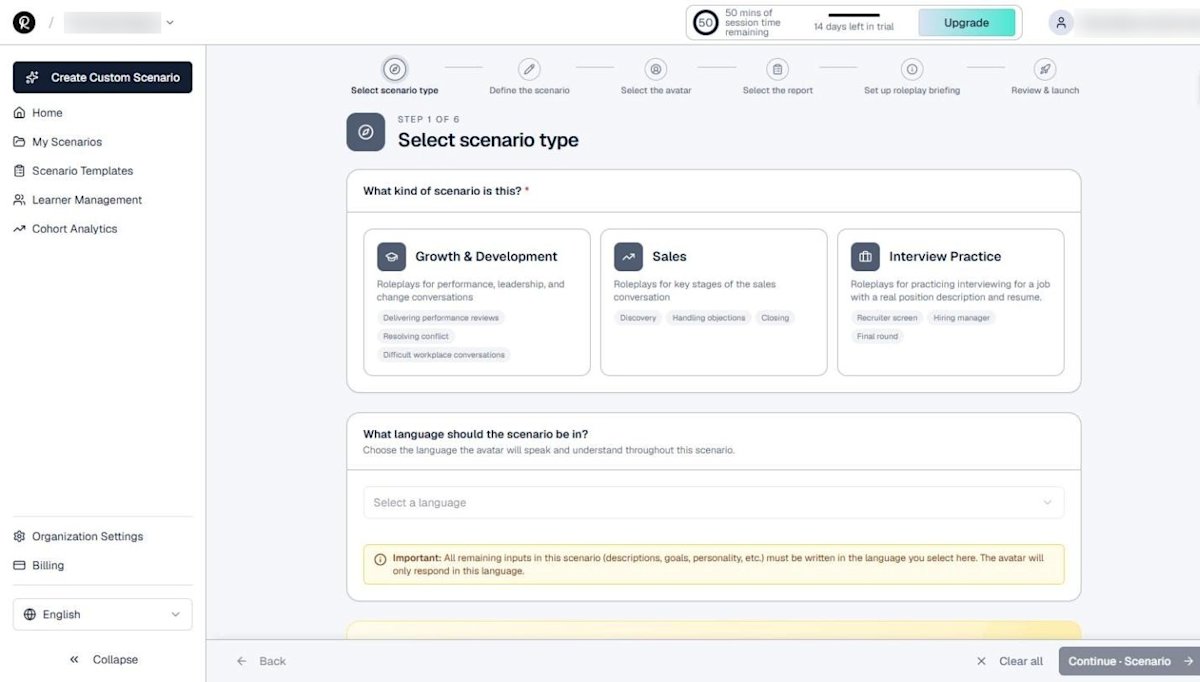
Click Create Custom Scenario in the sidebar. Step 1 asks what kind of scenario you are building:
- Growth & Development: performance reviews, conflict, and difficult workplace conversations
- Sales: discovery, handling objections, and closing
- Interview Practice: practice interviews based on a real job description and resume (see the interview guide)
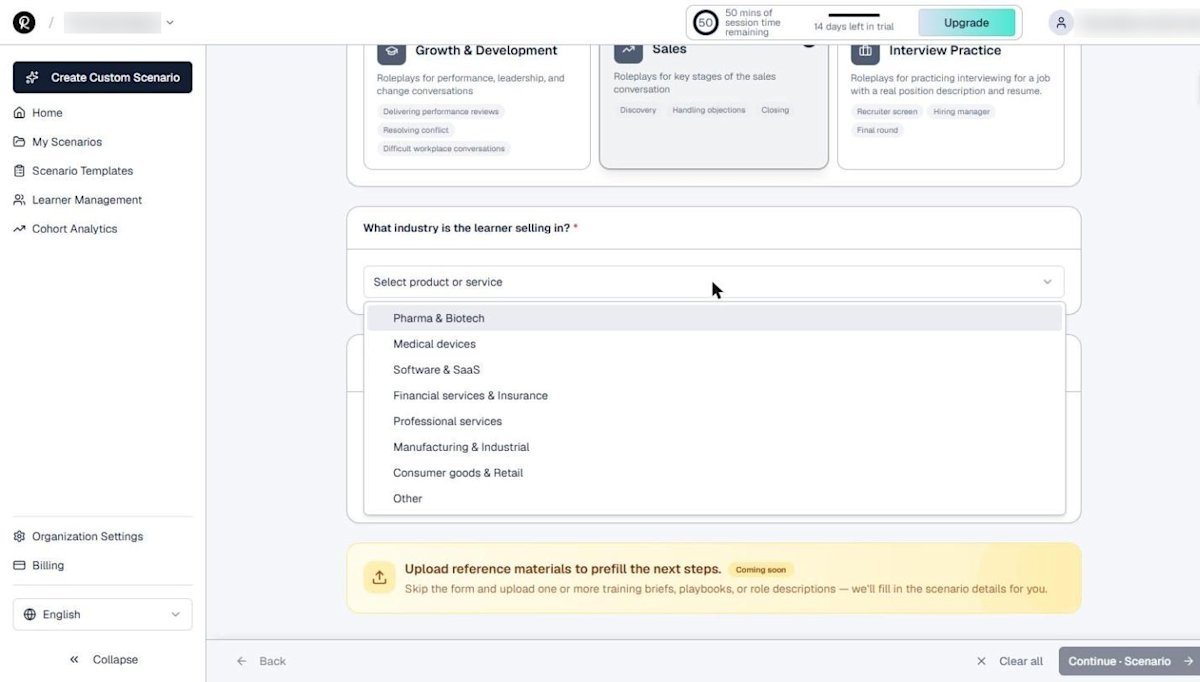
Choosing Sales adds an industry question. Options include Pharma & Biotech, Medical devices, Software & SaaS, Financial services & Insurance, Professional services, Manufacturing & Industrial, Consumer goods & Retail, and Other.
Then pick the scenario language. All remaining inputs should be written in that language, because the avatar will only respond in it.
Step 2: Define the scenario
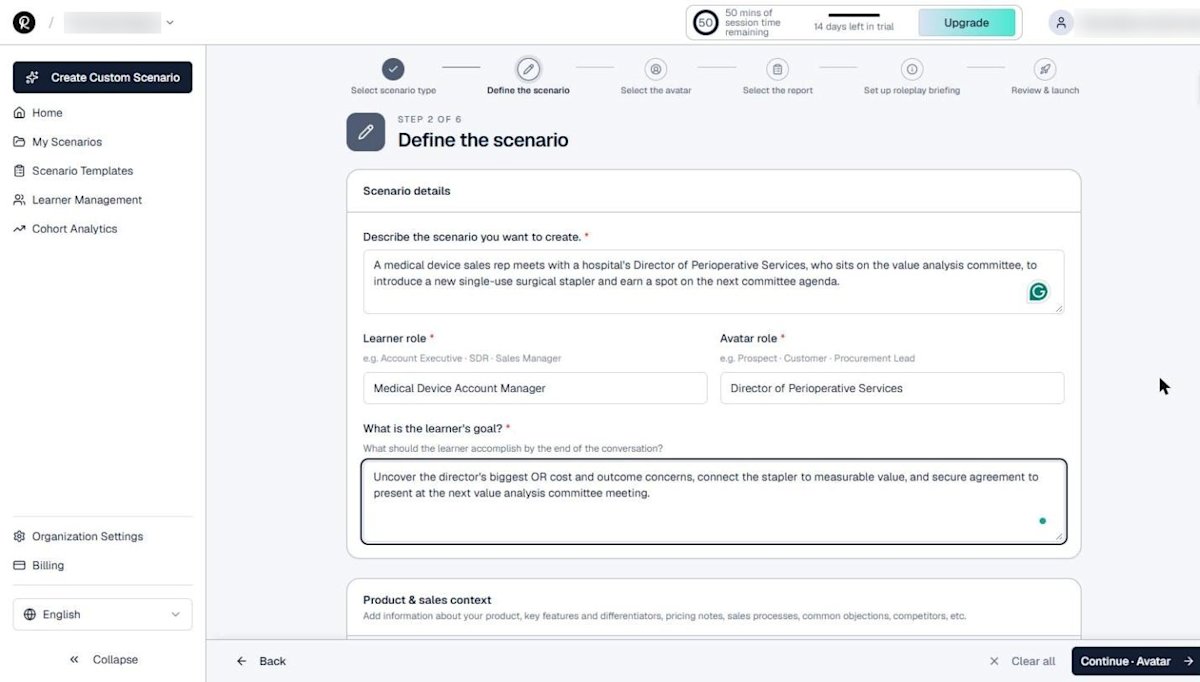
Step 2 captures the substance of the conversation. Fill in:
- Scenario description: who is meeting whom, and why
- Learner role and avatar role
- Learner goal: what the rep should accomplish by the end
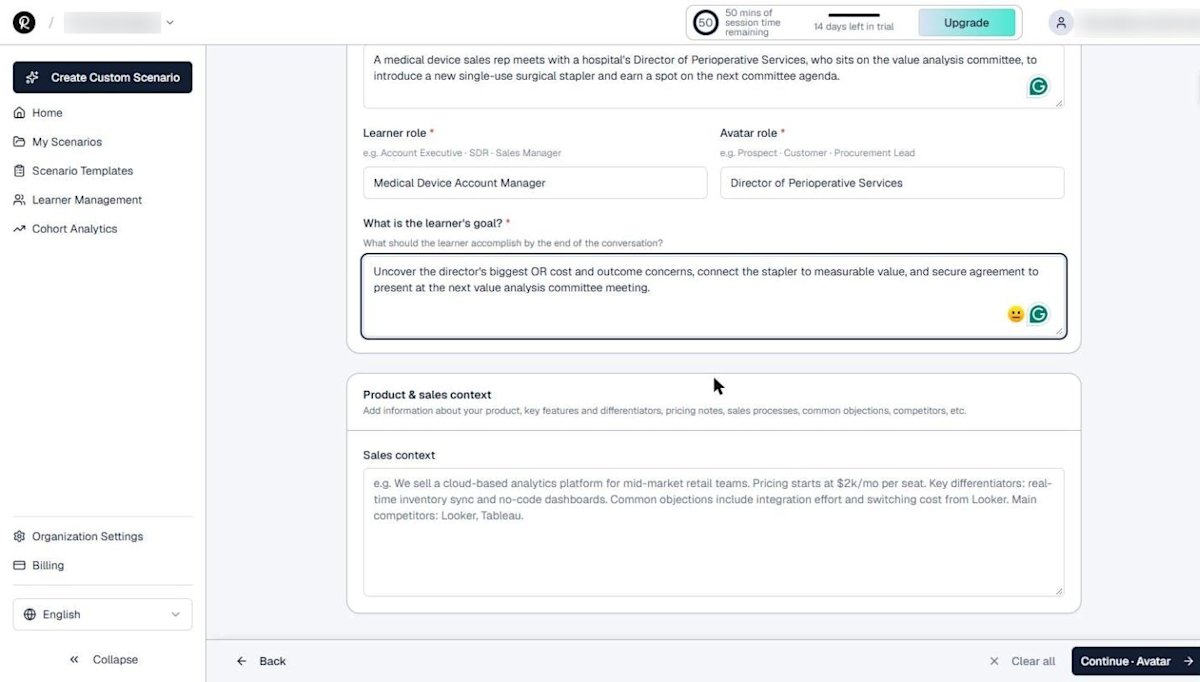
Below that, the Product & sales context box is where realism comes from. Add your product, key differentiators, pricing notes, common objections, and competitive context. The more specific you are, the more specific the avatar's pushback will be.
Step 3: Select and shape the avatar
Pick a face from the avatar library, then customize the persona for this scenario.
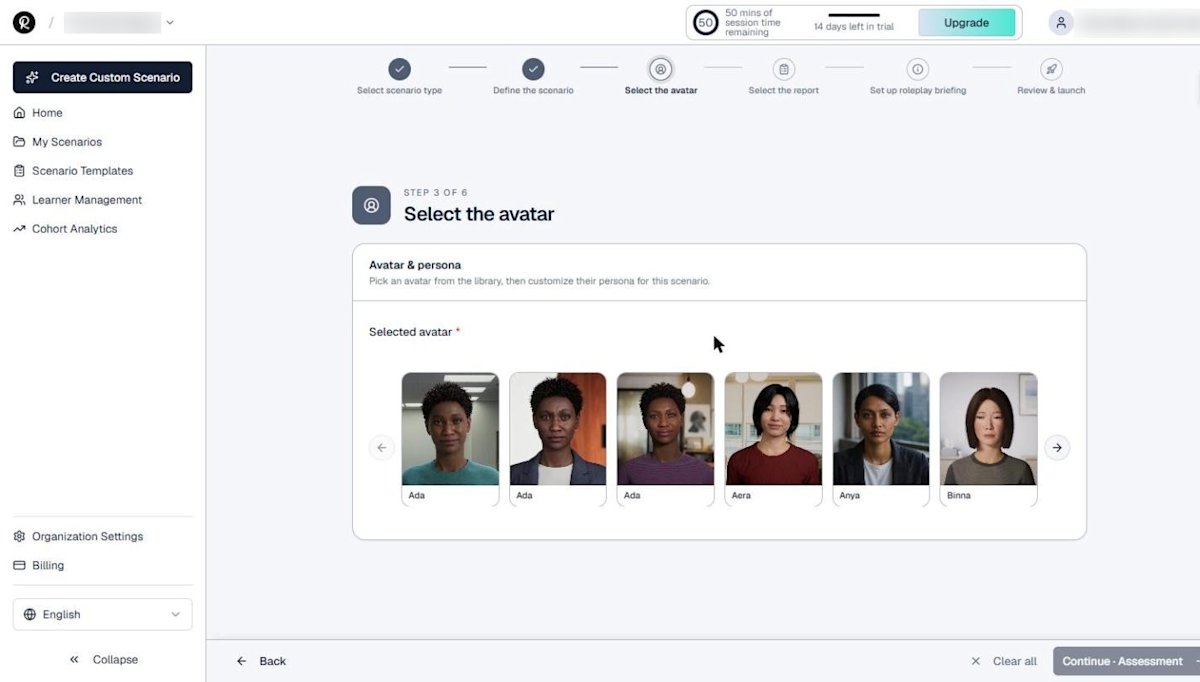
After you select an avatar you can set:
- Avatar name (we used Dana Okafor)
- Accent: US, UK, Australian, Indian, Irish, Scottish, Welsh, Canadian English, and more
- Cadence: very slow, slow, natural, fast, or very fast
- Personality traits: up to three, added one at a time
- Background context: history and pressure that shape how the avatar reacts
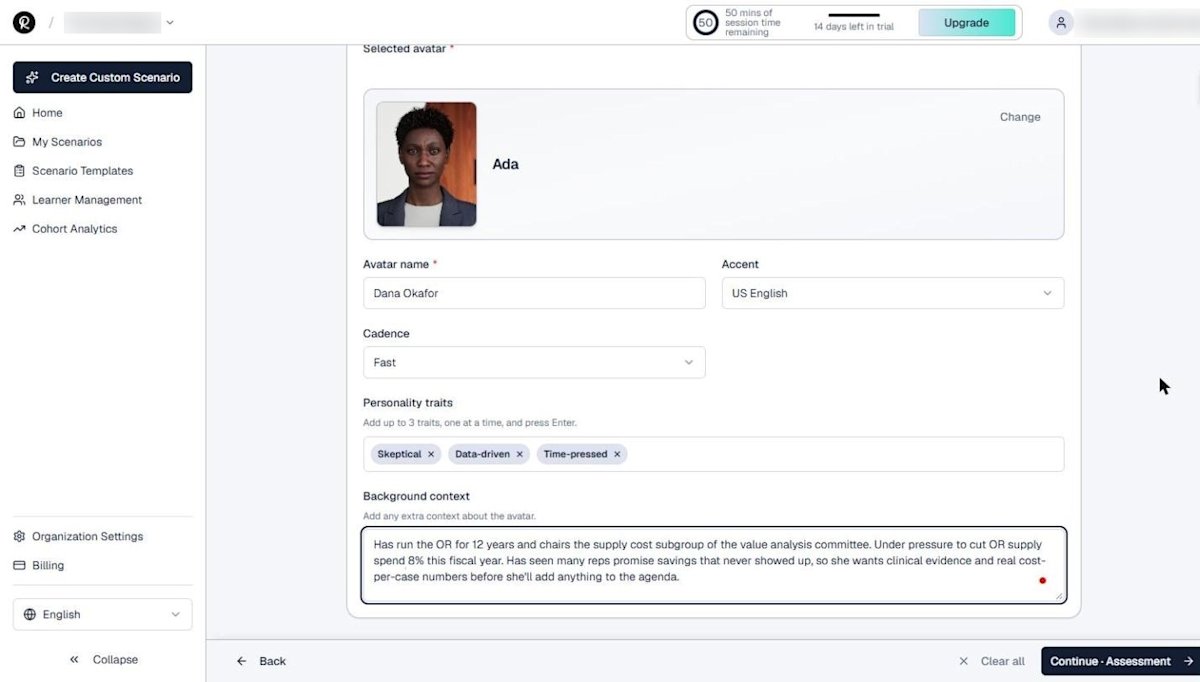
A fast cadence and a "time-pressed" trait make reps get to the point. Realistic pressure is what makes practice transfer; a study in Advances in Medical Education and Practice compared role-play simulation with real patient encounters for exactly this reason.
For realism details behind the avatars themselves, see how real-time 3D AI avatars work.
Step 4: Select the report
Step 4 decides how the learner is scored. Sales scenarios offer three frameworks:
| Framework | What it scores | Best for |
|---|---|---|
| Assess needs diagnosis and solutioning | Rapport and trust, discovery, tailoring the solution, addressing concerns, securing commitment | Full consultative calls |
| Sales Discovery | Opening, needs awareness, value communication, credibility, objection handling, clarity, closing | Early-stage and first meetings |
| Assess qualification rigor | Business needs, decision process, budget, timeline, and next steps | Qualification and pipeline hygiene |
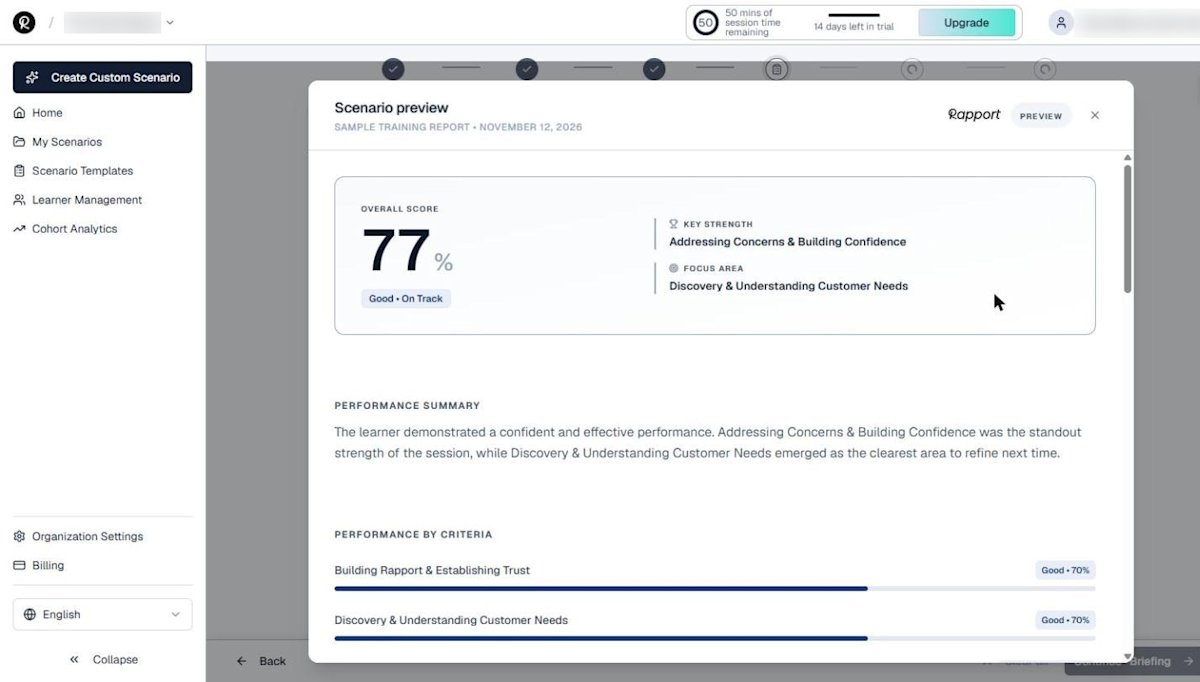
We chose needs diagnosis and solutioning because the goal is to move from discovery to a committed next step. If none of the frameworks fit, the Need a custom report? option lets you request a tailored structure. For more on picking coaching criteria, read what AI sales coaching tools actually do.
ATD's research on sales coaching is another useful benchmark.
Step 5: Review the AI-generated briefing
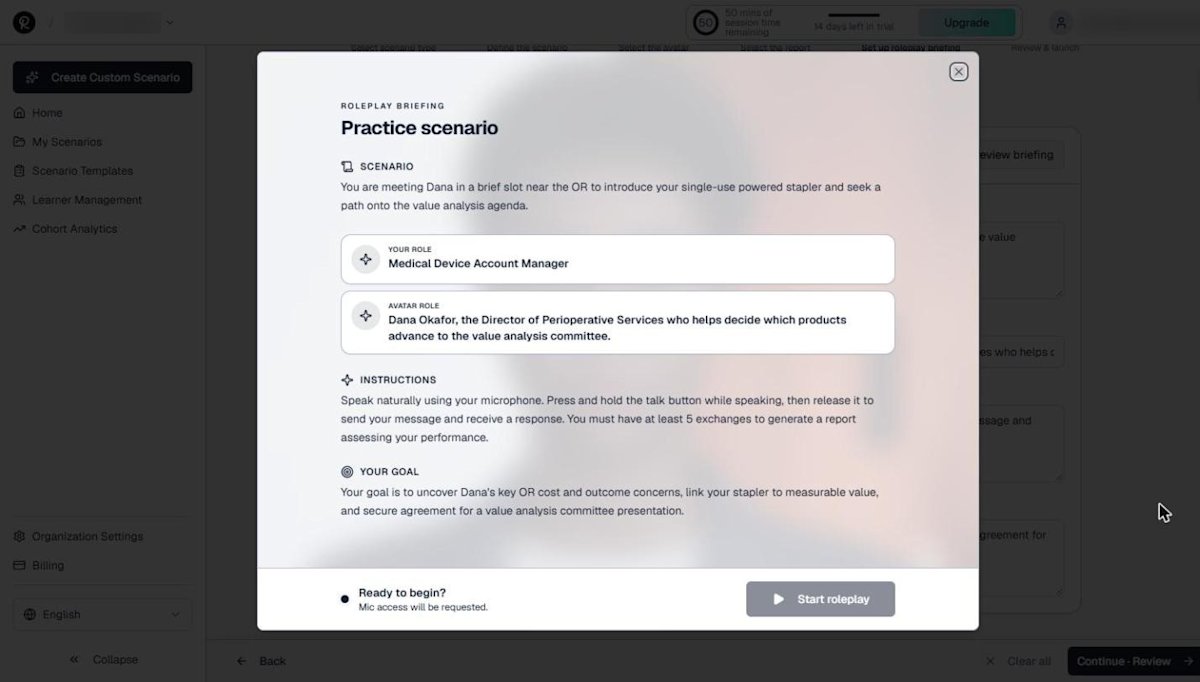
Rapport drafts the learner briefing from everything you entered: scenario context, both roles, instructions, and the goal. Every field is editable.
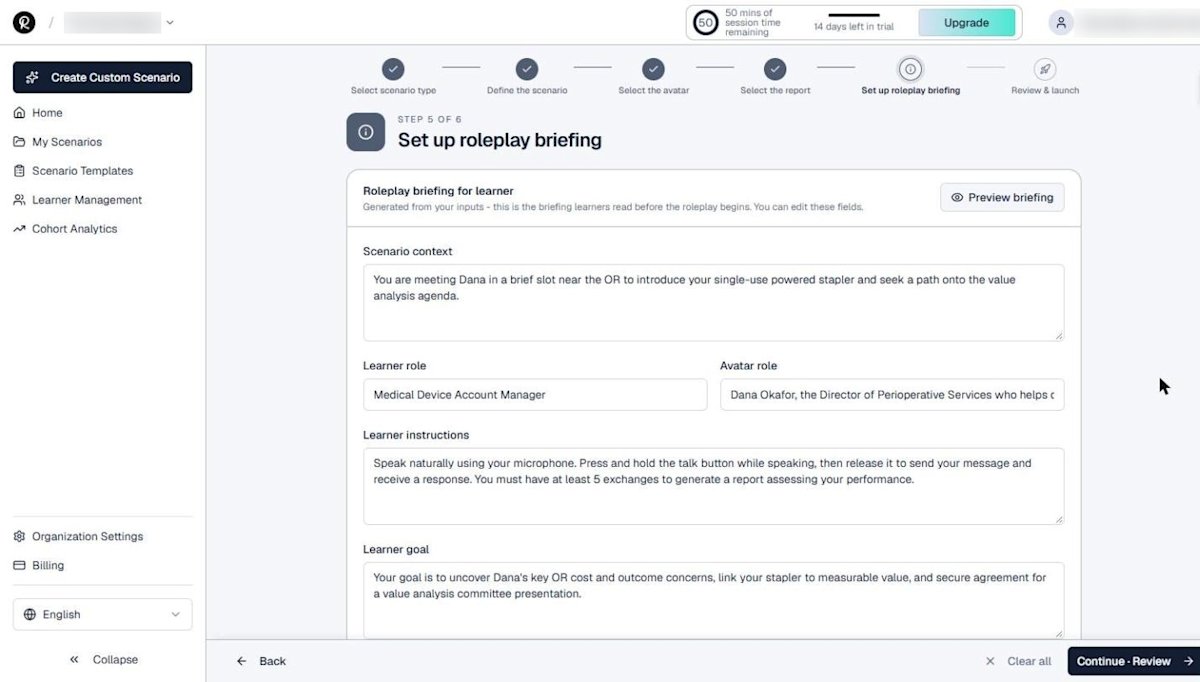
Click Preview briefing to see exactly what the learner will read before the session starts.
Step 6: Review and launch
Give the scenario a clear name that learners and admins will recognize. Rapport summarizes the scenario and lists possible outcomes. In our example, Dana may agree to sponsor a committee slot, show conditional interest pending more data, or decline if her concerns stay unresolved.

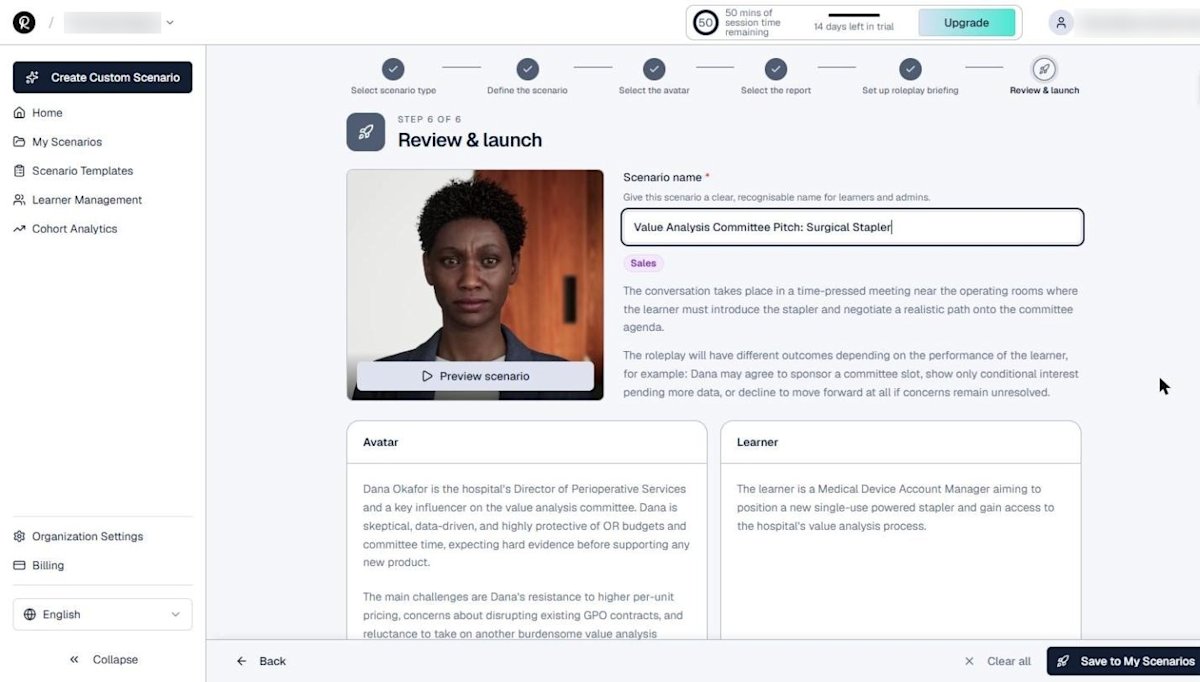
Click Save to My Scenarios. The new scenario appears in your library, ready to share.
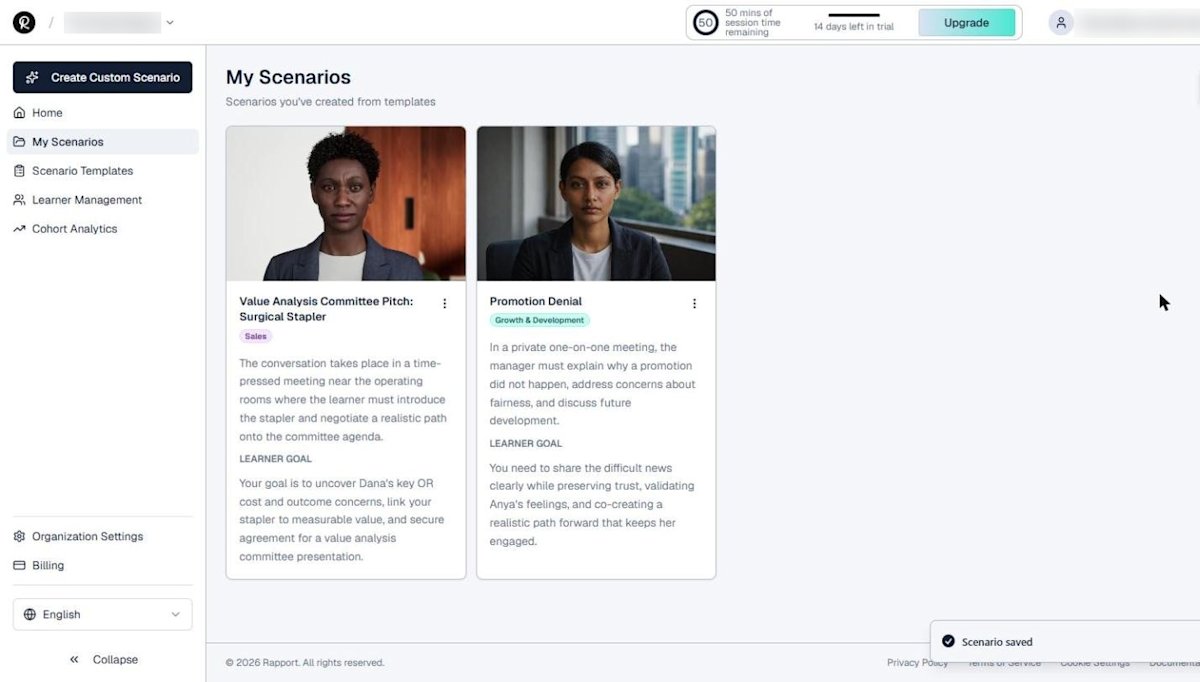
Next, share it with learners through the portal or your LMS.
If you are building sales readiness at scale, our sales ramp time calculator shows what faster ramp is worth.
ATD's research on barriers to effective sales onboarding explains why practice belongs early in onboarding.
Build your first custom sales scenario
Start a free 14-day Rapport trial with 50 minutes of AI roleplay conversation time. No credit card required.