How to Set Up AI Interview Practice in Rapport With a Real Job Description
Generic mock interviews ask generic questions. Rapport Interview Practice builds the interview from a real job description and the candidate's actual resume, so the AI hiring manager probes the experience that matters for the role. This guide shows how to set it up in six steps.
November 12, 2026
How to Set Up AI Interview Practice in Rapport With a Real Job Description
Key takeaways
- Interview Practice is one of three scenario types in the Rapport custom scenario builder.
- You paste the full job description and the resume the learner will be interviewed on.
- The interviewer persona (name, accent, cadence, traits, background) controls how hard the questions push.
- The Assess Interview Response report scores completion, content and relevance, communication, professionalism, and behavioral interviewing skills.
- The interview ends the way a real one does, with time for the candidate's questions and a professional close.
Who interview practice is for
Interview practice works on both sides of the table:

- Job seekers and career services teams preparing candidates for a specific role
- Internal mobility programs helping employees apply for promotions
- Hiring managers who want to sharpen their own questioning, a topic we cover in interviewer training
For interviewers, Rapport also includes a Behavioral Interview template where the learner plays the hiring manager and has to cut through polished but vague answers. See how to use scenario templates for that one.
Step 1: Choose Interview Practice
Click Create Custom Scenario and select Interview Practice. The card notes it covers recruiter screens, hiring manager rounds, and final rounds.
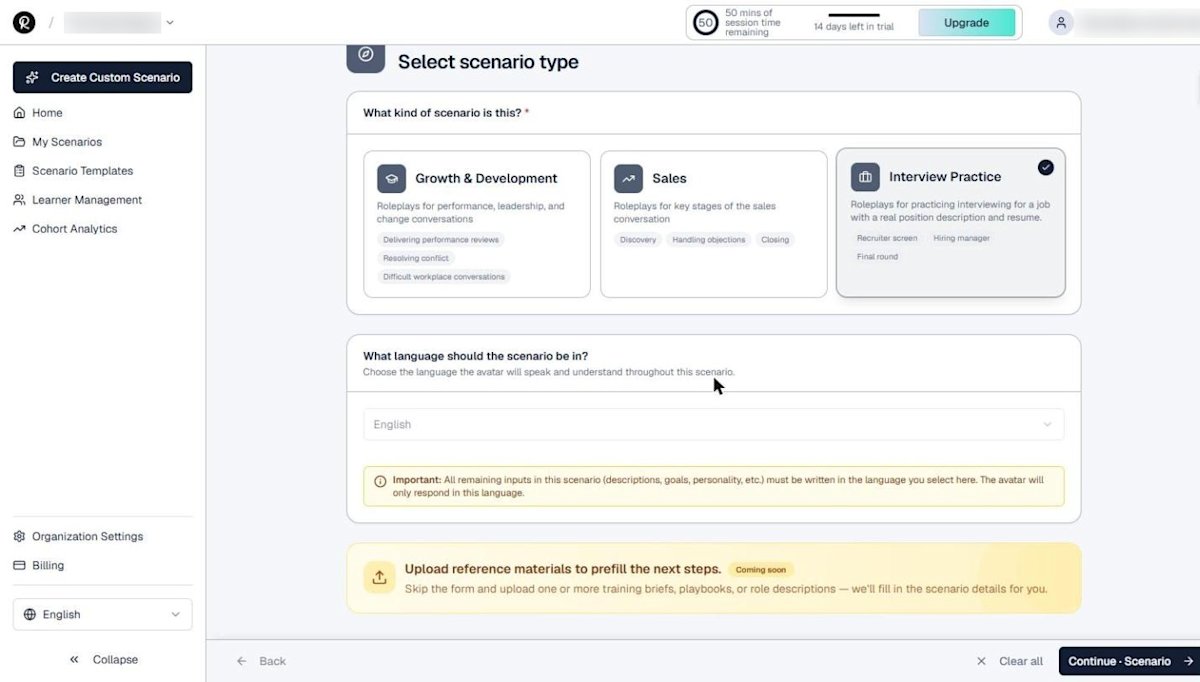
Step 2: Paste the job description and resume
This step is what makes Rapport interview practice different. Paste:
- Job specification: the full job description, including responsibilities, requirements, and expectations
- Candidate resume: the resume or CV the learner will be interviewed on
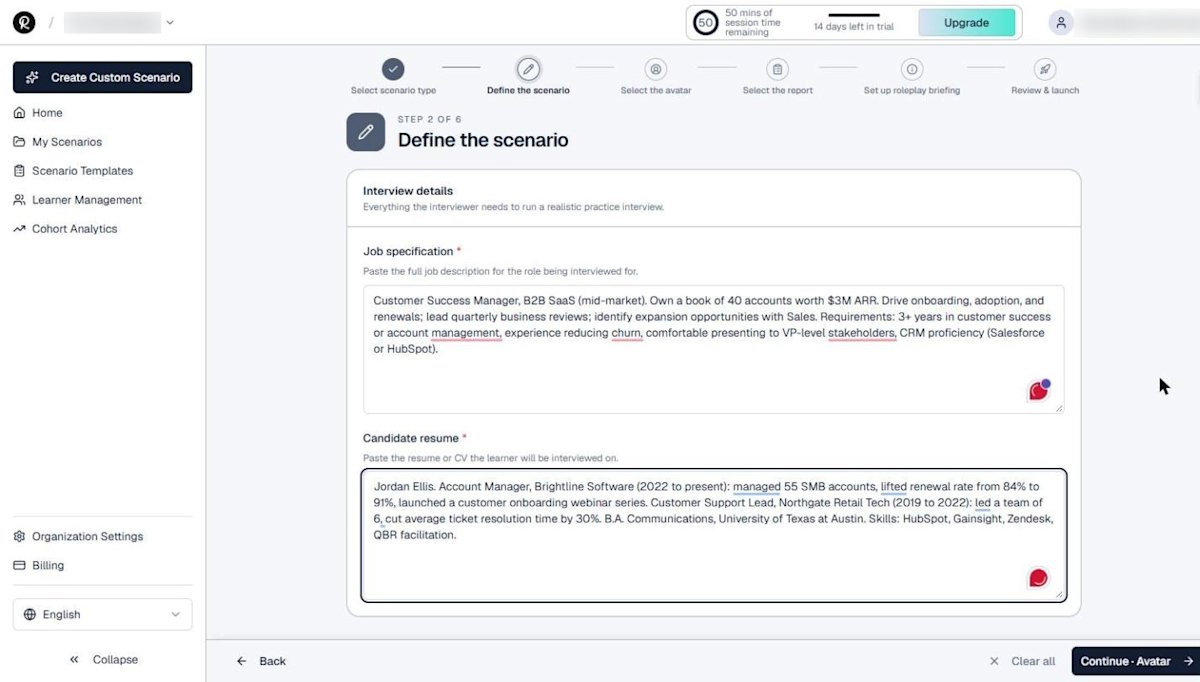
Remove anything private from the resume before you paste it, such as phone numbers or home addresses. Our post on AI roleplay data security covers what to think about when you add personal information to any training tool.
Step 3: Shape the interviewer
Pick an avatar to play the interviewer, then set the interviewer name, accent, cadence, up to three personality traits, and background context.
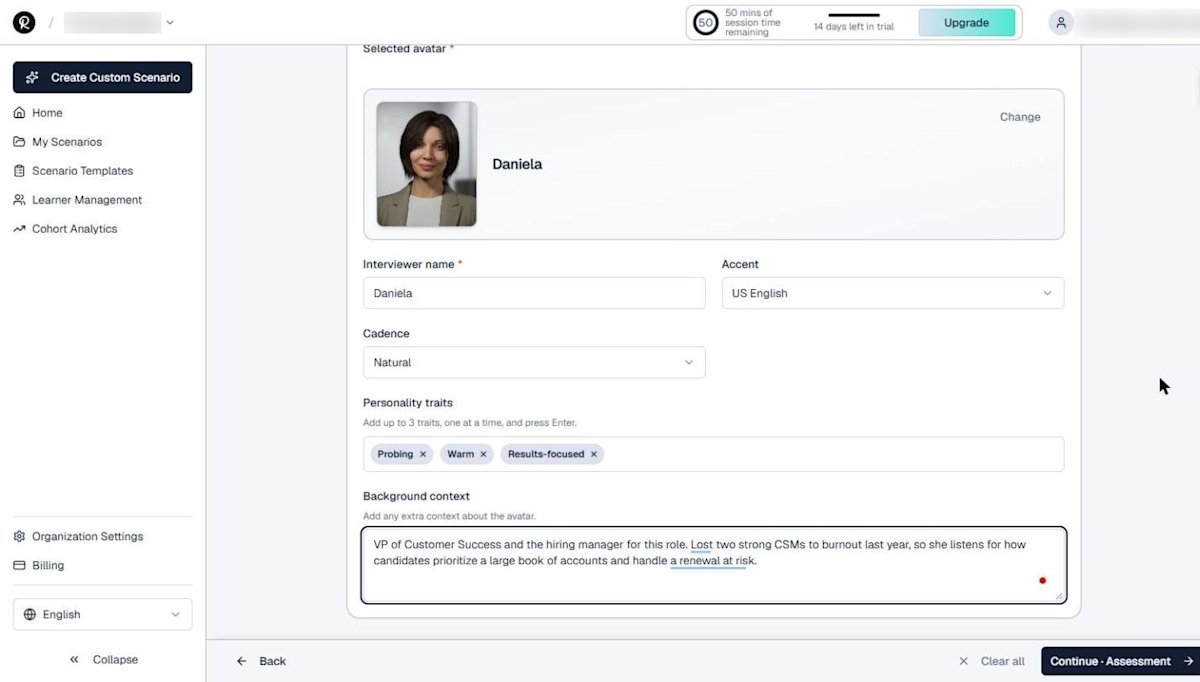
Background context changes the interview more than anything else. We told the interviewer she lost two strong CSMs to burnout last year, so she listens for how candidates prioritize a large book of accounts. That single sentence turns a generic interview into a role-specific one.
Step 4: Pick the interview report
Choose Assess Interview Response. It scores five areas:

- Interview Completion
- Content & Relevance
- Communication
- Professionalism
- Behavioral Interviewing Skills
Behavioral interviewing is a well-established hiring practice. SHRM's interview questions library is a useful reference when you coach candidates to answer with specific actions and measurable results.
Its course on behavioral interviewing practices goes deeper on the method.
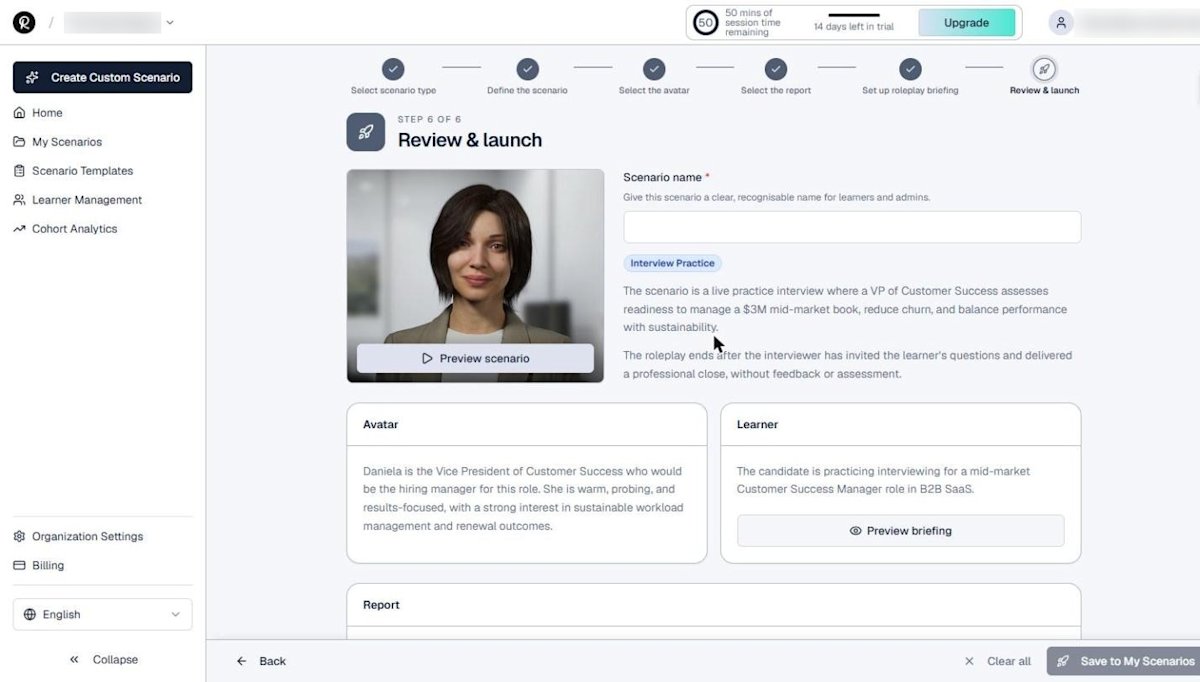
Steps 5 and 6: Briefing, review, and launch
Rapport writes the learner briefing from the job description, resume, and persona. In our example, it framed the session as a simulated CSM interview focused on managing a $3M ARR book sustainably.
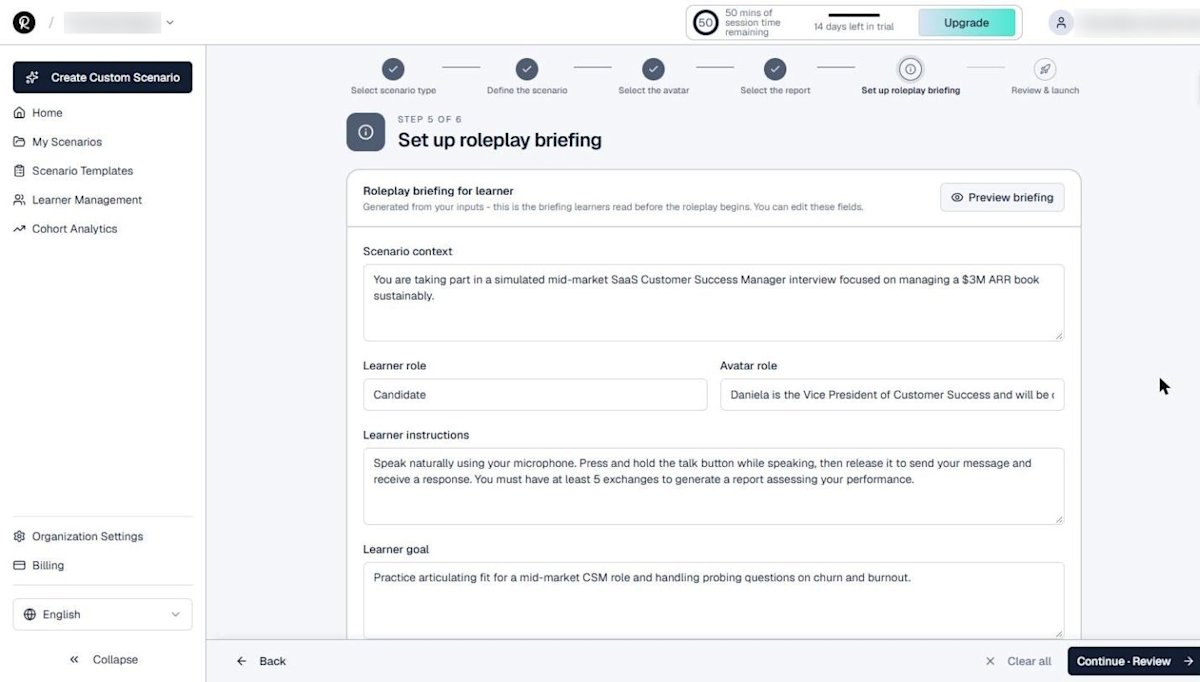
On the review step, name the scenario and check the summary. Rapport notes that the roleplay ends after the interviewer invites the learner's questions and delivers a professional close, without giving feedback mid-interview. The feedback comes afterward, in the report.
Getting the most from interview practice
- Run the same scenario twice: once cold, once after reviewing the report. The difference is the learning.
- Build one scenario per target role rather than one generic interview.
- Pair interview practice with business communication skills training for early-career talent.
- Track readiness over time with the approach in measuring training readiness.
- Share scenarios through the learner portal or your LMS so candidates can practice on their own schedule.
Rehearsal works because it lets people fail safely before the stakes are real. Stanford researchers saw the same effect in simulated conflict practice with an AI partner.
Medical educators have long used role-play simulation to build communication skills for the same reason.
New to Rapport? Start with the free trial dashboard tour.
Set up your first practice interview
Start a free 14-day Rapport trial with 50 minutes of AI roleplay conversation time. No credit card required.