How to Share AI Roleplay Scenarios With Learners: Learner Portal and SCORM
A great scenario only helps once learners can reach it. Rapport gives you two delivery channels, a hosted learner portal and SCORM packages for your LMS, and you can use one or both. This guide shows how to set up each channel, assign learners, and keep track of who came from where.
November 12, 2026
How to Share AI Roleplay Scenarios With Learners: Learner Portal and SCORM
Key takeaways
- Rapport supports two delivery channels: a hosted Learner Portal and LMS delivery through SCORM.
- The first time you share a scenario, Rapport asks which channels you want, and you can change this later.
- SCORM packages export as SCORM 1.2, and LMS learners are provisioned automatically on first launch.
- Portal learners are invited by name and email and assigned to specific scenarios.
- Learner Management filters learners by source, so you can compare portal and LMS activity.
Two ways to deliver roleplay
| Learner Portal | LMS / SCORM | |
|---|---|---|
| How learners get in | Log into a dedicated Rapport portal | Launch from your existing LMS course |
| Setup | Invite learners and assign scenarios | Download a SCORM 1.2 package and upload it to your LMS |
| Accounts | Created by invitation | Provisioned automatically on first launch |
| Best for | Pilots, small teams, and external learners | Organizations that track all training in an LMS |
SCORM is the long-standing e-learning standard maintained by the Advanced Distributed Learning (ADL) Initiative. You can read the ADL overview of SCORM for background.
If your LMS team is planning ahead, ADL's newer cmi5 specification is worth a look.

Step 1: Choose how learners access scenarios
Open a scenario from My Scenarios and click Share Scenario. The first time, Rapport asks how learners will access scenarios. Select one or both options and click Continue.
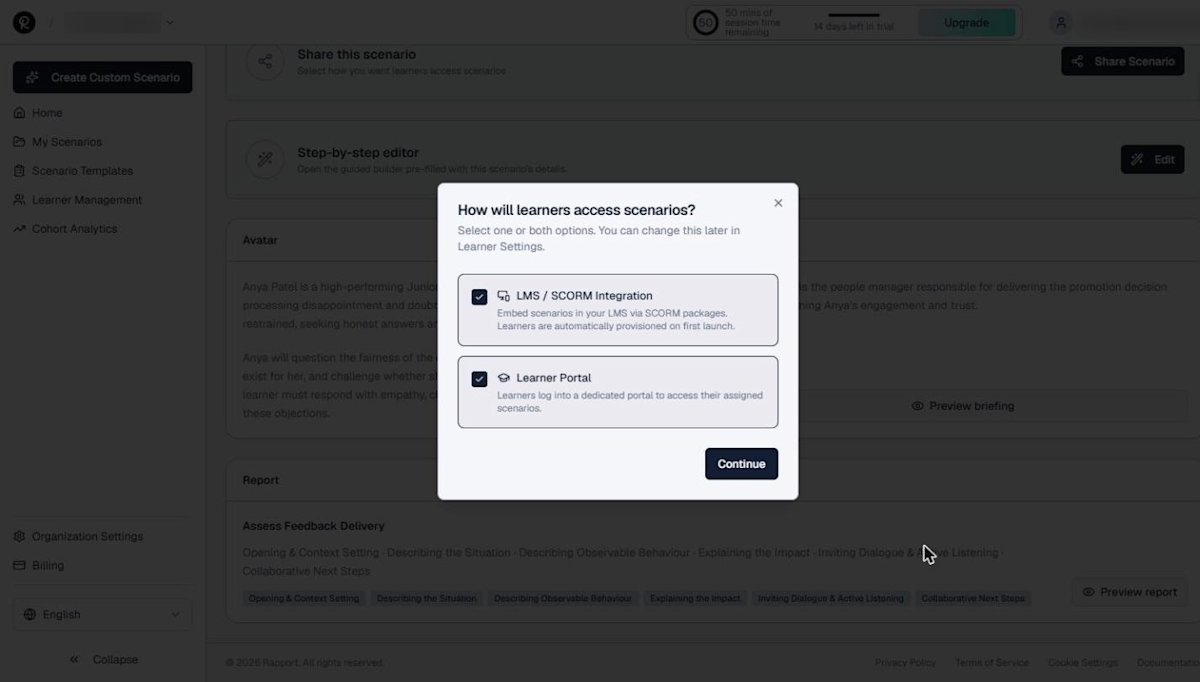
You can change these choices later under Learner Management.
Step 2: Assign learners in the portal
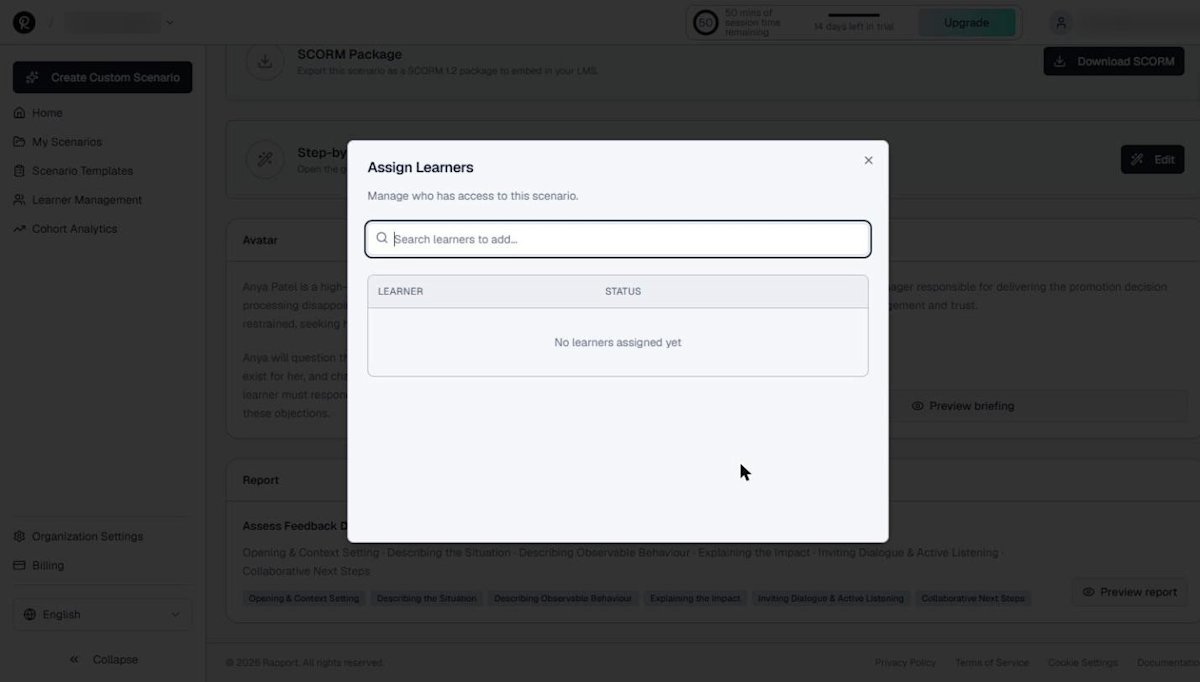
With the portal turned on, the scenario page shows an Assign Learners option. Search for learners to add, and their status appears in the list.
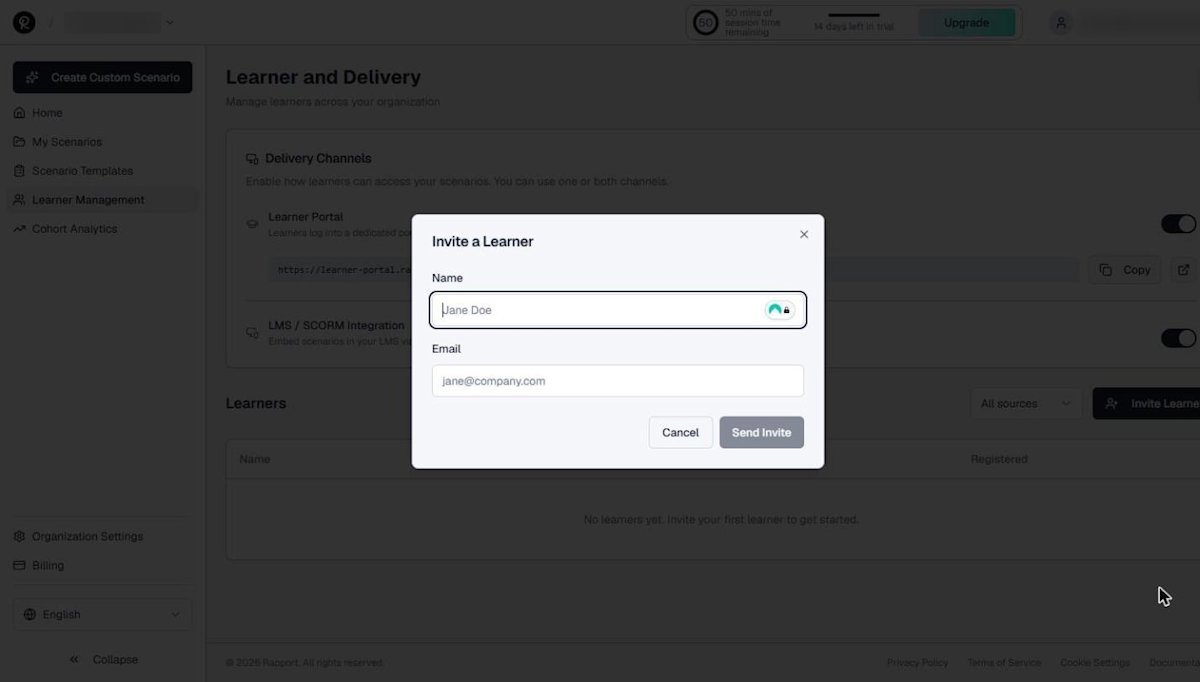
To add someone new, go to Learner Management and click Invite Learner. Enter a name and email, then send the invite.
Step 3: Download the SCORM package for your LMS
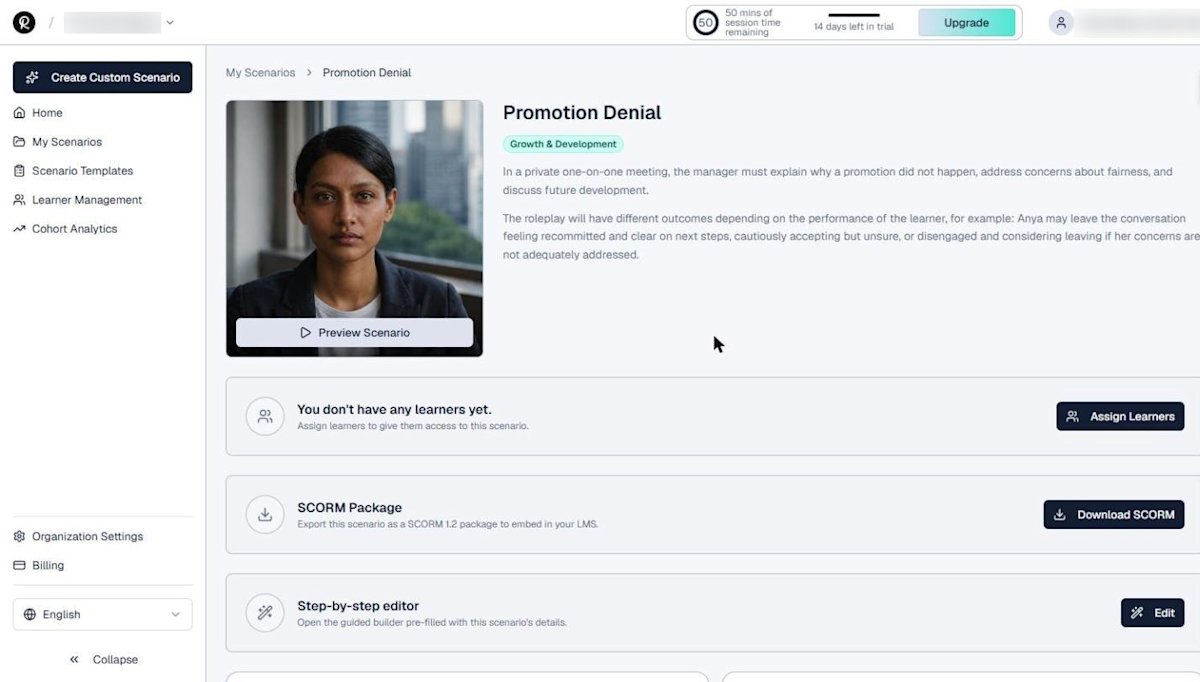
With SCORM turned on, each scenario page shows a SCORM Package panel. Click Download SCORM to export the scenario as a SCORM 1.2 package, then upload it to your LMS like any other course.
Manage learners and delivery settings
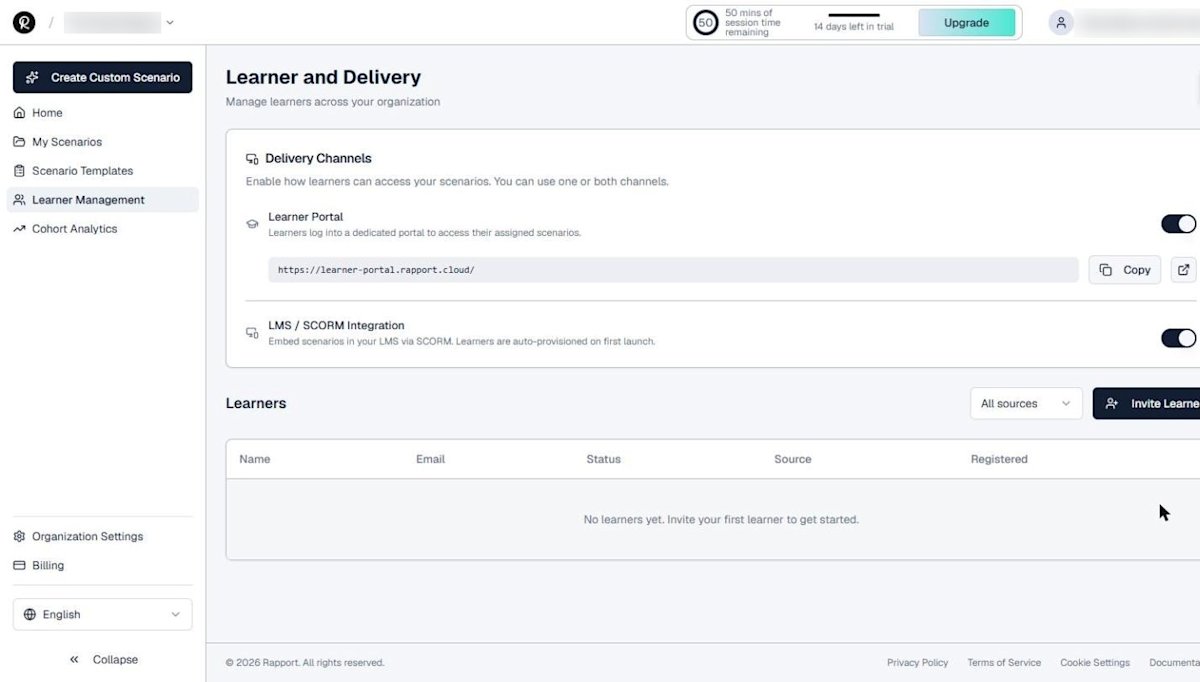
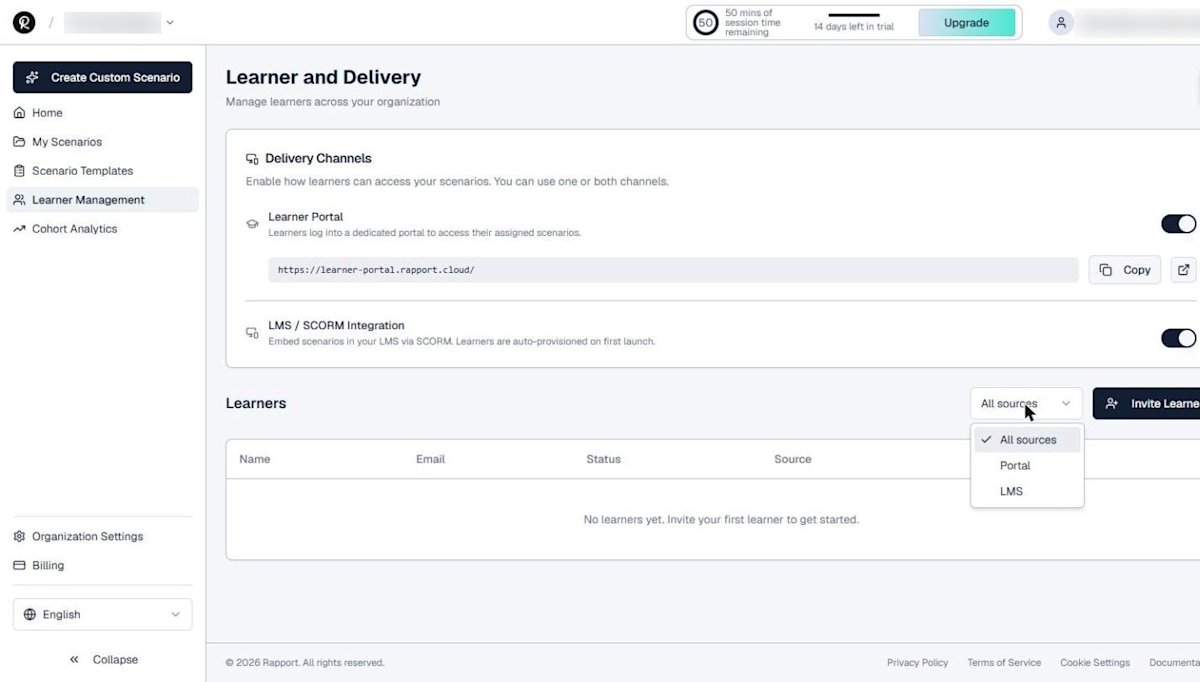
The Learner and Delivery page brings it all together:
- Delivery Channels: toggles for the Learner Portal and LMS / SCORM integration
- Portal link: the learner portal address, with a copy button for your welcome email
- Learners table: name, email, status, source, and registration date
- Source filter: view all learners, portal learners only, or LMS learners only
Tips for a smooth rollout
- Start with a pilot group of five to ten learners in the portal, using a ready-made template or a scenario you designed around a real conversation.
- Tell learners the goal: practice, not a test. Psychological safety drives repetition, and ATD research on sales onboarding shows how much early practice matters.
- Ask each learner to complete at least five exchanges so a full report is generated.
- Review results in Cohort Analytics after the first week. Our guide to reading Rapport reports and analytics shows what to look for.
- Move to SCORM delivery once you are ready to scale and track completions in your LMS.
Managers are the multiplier here. Gallup has found that managers account for 70% of the variance in team engagement, so give each manager access to their team's results and a short weekly practice goal.

Building the case for a wider rollout? Use the training ROI calculator to size the opportunity.
To see how other programs structure practice, read our call center training program guide.
If you have not built a scenario yet, start with how to create a custom sales roleplay scenario.
Put AI roleplay in front of your learners
Start a free 14-day Rapport trial with 50 minutes of AI roleplay conversation time. No credit card required.